SELF-EMPLOYED
TAX. DONE.
Built for one job: Making Tax Digital. Nothing else to learn.
DoneSE shows you what's due and what to do next. Enter your income and expenses, check the figures, and submit when you're ready. Behind on a quarter? Your next update covers it. No spreadsheets. No bridging software.
No accounting degree required
Enter. Check. Done.
If Making Tax Digital applies to you, you will need to keep digital records and send quarterly updates to HMRC using compatible software. That can sound like more tax admin - DoneSE is built to make it less.
Test account · sample data
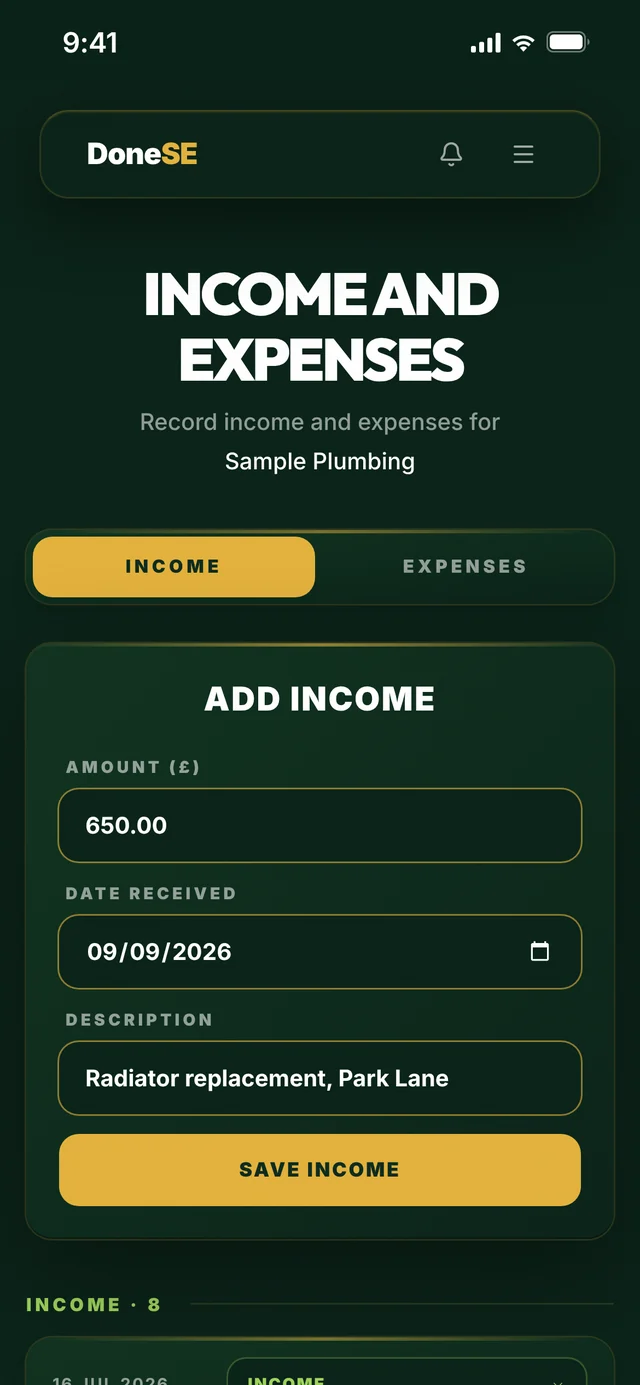
Enter your figures
Add your self-employed income and expenses directly into DoneSE. Just enter what came in and what went out.
Test account · sample data
Keep it organised
Record and categorise as you go. Instead of facing months of paperwork at once, one simple place to keep the digital records you need.
Test account · sample data
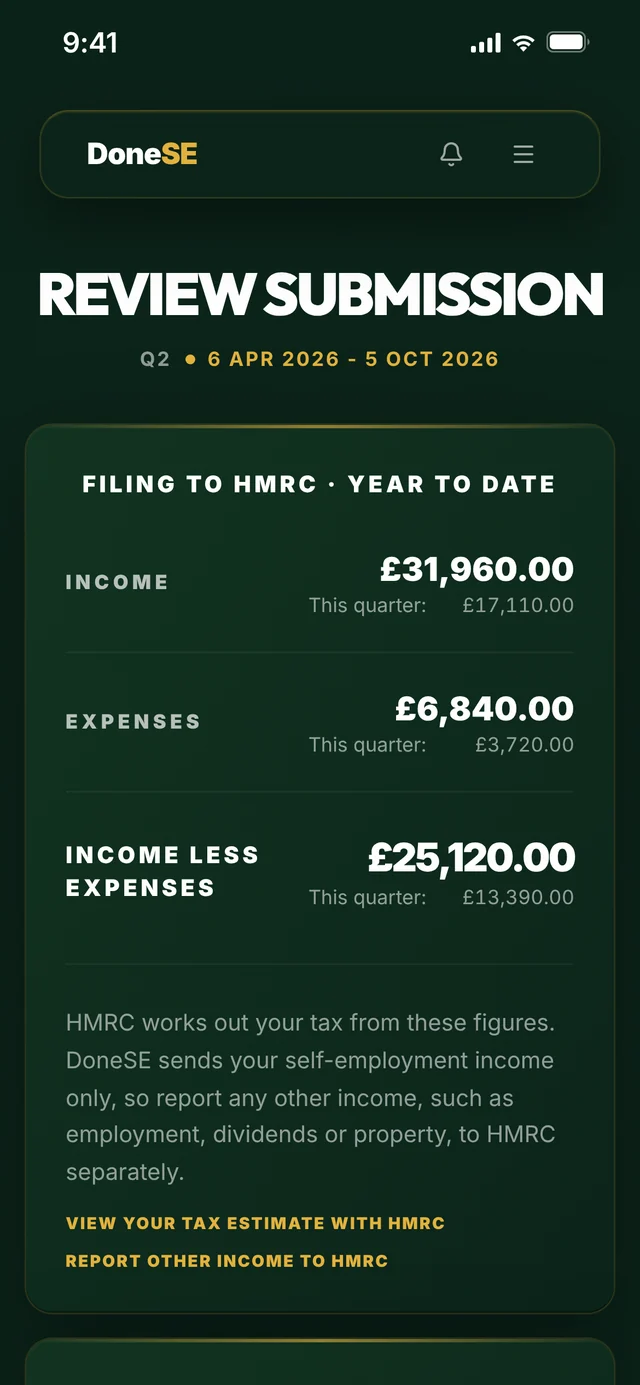
Check your quarter
See your figures clearly before anything is sent. Review what you have entered and make changes if you need to.
Test account · sample data
Submit when ready
Happy with your quarter? Submit your quarterly update to HMRC. Nothing goes to HMRC until you choose to send it.
Test account · sample data
See it in action
Take the tour.
A walkthrough on a sample account, from signing in to sending your quarterly update. 1 minute 40.
Test account · sample data
Work the way you want
Your tax. Your choice.
DoneSE starts with a simple idea. You should be able to deal with your quarterly updates in the way that works for you.
Do it yourself
You keep control
Enter your income and expenses, keep your digital records organised, check your quarter and submit when you are ready.
Get StartedUse your accountant
Already have one?
If your accountant uses DoneTax+, you can send them each quarter's figures in a tap. They review each quarter and adjust if needed. Submitting to HMRC on your behalf is separate and needs you to authorise them with HMRC directly.
How it worksFind a DoneLabs Partner
Don't have one?
We're building a directory of independent accountants who are Making Tax Digital ready. Browse the directory to find one near you.
Browse directoryThe experience
Simple by design.
Not accounting software with tax bolted on. DoneSE does one job, so every screen is about the next thing you need to do.
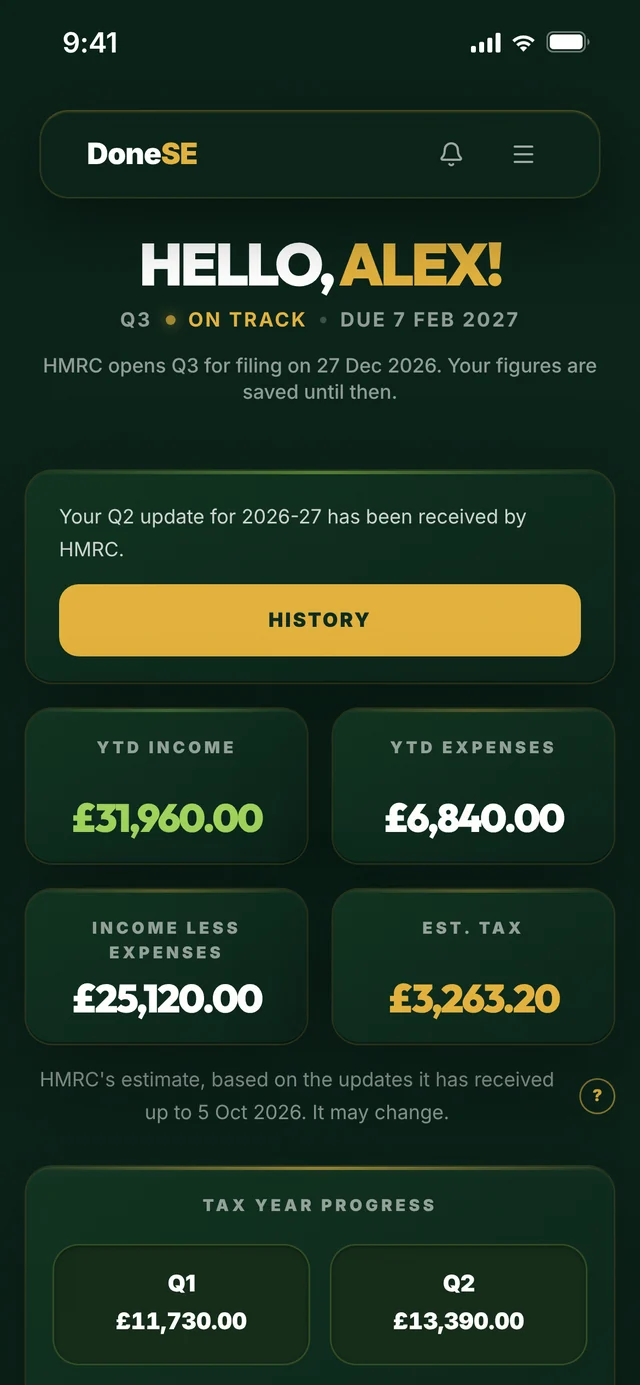
It tells you what's next
Your dashboard shows which quarter is due, by when, and the one thing to do next. There is no filing calendar to learn.
Behind? One update catches up
Each quarterly update carries your totals for the tax year so far. If you missed a quarter, your next update brings your account up to date.
No password to remember
You sign in with a link sent to your email. Nothing to remember, nothing to reset, and your HMRC login stays with HMRC.
When Making Tax Digital reaches you
Find your start date.
DoneSE tracks your deadlines.
Making Tax Digital for Income Tax is phased in by income. Work out when it applies to you - then DoneSE tracks the quarterly deadlines that follow.
Step 1 - when you're in
From April 2026
£50k+
Qualifying income over £50,000 means you're in from the 2026/27 tax year.
From April 2027
£30k+
The qualifying income threshold drops to £30,000 for the 2027/28 tax year.
From April 2028
£20k+
And to £20,000 of qualifying income from the 2028/29 tax year.
Step 2 - what you then do
First quarterly update
7 Aug
2026
Second quarterly update
7 Nov
2026
Third quarterly update
7 Feb
2027
Fourth quarterly update
7 May
2027
Year-end tax return (HMRC)
31 Jan
2028
DoneSE tracks all four quarterly deadlines. You file your year-end tax return from DoneSE too.
Less than a coffee a month
Simple. No surprises.
No tiers. No feature gating. Everything included. Cancel anytime.
Monthly
Billed monthly. Cancel anytime.
Annual
Save 33%Billed once at £39.99/year.
Your tax. Your data.
Simple doesn't mean careless.
DoneSE keeps the process simple while treating the information you enter with the care financial data requires.
Nothing sent until you choose
You can enter, review and change your quarterly figures before submitting them.
Your HMRC login stays yours
When you authorise DoneSE to interact with HMRC, authentication takes place through HMRC's authorised process. DoneSE never sees your HMRC credentials.
Your data is protected
Your information is encrypted and handled in accordance with UK data-protection requirements.
MTD ready - recognised by HMRCBefore you ask
Questions answered.
A connected future
Your clients are going digital too.
We are developing the professional side of the DoneLabs ecosystem for independent accountants and accountancy practices working with Making Tax Digital clients.
The aim is simple. Make it easier for clients and their accountants to work from the same digital records, without forcing the client into a full accounting suite.
Dedicated platform for accountants managing multiple clients' Making Tax Digital for Income Tax submissions.
A note from the founder
I started DoneLabs after listening to self-employed people talk about Making Tax Digital for Income Tax. Not one of them was arguing with the idea of digital records. What they objected to was being handed a full accounting system to satisfy a quarterly obligation they hadn't asked for.
So the brief was narrow on purpose. Record your income and expenses, check your quarter, send it to HMRC. No invoicing you don't use. No accounting system to learn.
The second half took longer to see. Accountants are dealing with the same problem from the other side, working through client records every time a quarterly update is due.
That's why DoneLabs is built around both sides. DoneSE is for keeping your own records and sending your own quarterly updates. DoneTax+ is for accountants. If your accountant uses it, they can invite you to connect, you send them each quarter's figures to review, and they can file for you once you have authorised them with HMRC.
One job, done properly, for both people who have to do it.
Bryan Peppin
Founder, DoneLabs